
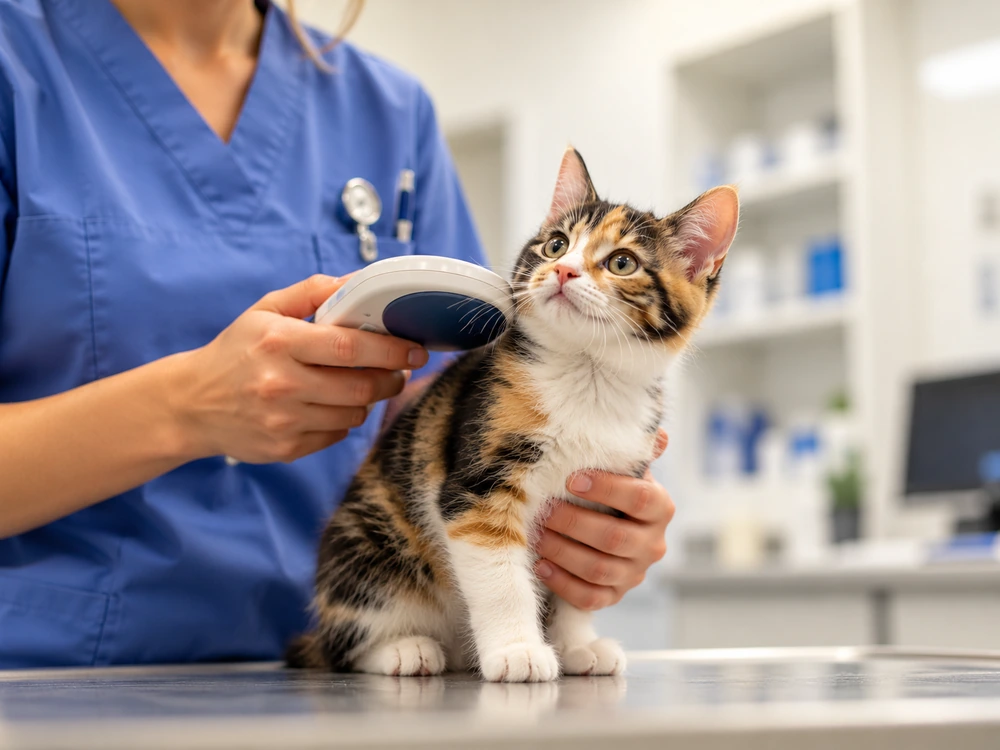
When your pet’s microchip is scanned, it usually only shows a unique identification number. It does not reveal your name, phone number or home address.
Your contact information is kept in a separate registry or database that is linked to the microchip number.
What happens after scanning depends on the registry. Some public searches only show which database has the record. Others might display limited details, such as a phone number or another way to contact the owner.
So who can actually see what?
In this guide
- What information is stored on a microchip?
- What does a microchip scanner show?
- What can a public lookup show?
- What can vets, shelters and rescues see?
- What does ChipTrace see?
- What happens if the contact details are outdated?
- Should you keep the microchip number private?
- What if someone says the animal belongs to them?
- How can owners keep their registration useful?
What information is actually stored on a pet microchip?
A standard pet microchip contains an identification number.
That’s the key detail.
It does not store your name, address, phone number, email or your pet’s medical history.
It is also not a GPS tracker.
Your dog is not sharing your postcode with anyone.
The microchip number is useful because it is linked to a separate registration record.
Depending on the registry, that record can contain information such as:
- the pet’s name
- species, breed, sex or colour
- the owner or keeper’s name
- phone numbers
- an email address
- a home address
- an emergency contact
- details of a vet, breeder, shelter or rescue
- whether the animal has been reported missing
The information stored depends on the database.
Our guide to registering a pet microchip explains how the chip and the registration work together.
What does a microchip scanner actually show?
Usually, it only shows the microchip number.
When a scanner activates the chip, the chip sends its identification number back to the scanner.
The scanner displays that number on its screen.
So a vet might scan a lost dog and see:
981020000123456
The scanner does not usually show the owner’s name, phone number or address.
The next step is to find out which registry or database is connected with that number.
That is when the search for the owner starts.
What can a public microchip lookup show?
This can be very different depending on the registry.
A public lookup may show:
- which database holds the registration
- whether a registration exists
- limited information about the animal
- a phone number or other contact route
- instructions for contacting the registry
Some registries let certain contact details be shown publicly. Others keep all owner information private and act as a go-between.
A home address is much less likely to be displayed publicly than a phone number.
In many systems, the finder does not need the owner’s personal details at all.
They only need a way to contact the owner.
For example, the registry may contact the registered owner after a vet, shelter, rescue or finder reports that the animal has been found.
What can vets, shelters and rescues see?
When a vet or shelter scans an animal, they do not automatically get extra information.
Their scanner still reads the same microchip number.
What they can see after scanning depends on the database and local system.
Some registries give authorised users more access than members of the public. In other cases, the vet or shelter contacts the registry and asks it to contact the registered owner.
This is an important difference:
Reading the microchip number is not the same as seeing all the information in the registration.
A finder may see a phone number in one registry.
Another registry may show no personal information at all.
Both ways can still help find the owner.
What does ChipTrace see?
ChipTrace does not reveal the registered owner’s private contact details.
ChipTrace’s job is to help trace where the microchip number may lead.
You enter the number, and ChipTrace checks available databases and lookup services. It can also identify useful country, manufacturer or prefix clues and suggest other routes when the obvious search does not produce an answer.
If ChipTrace identifies the database holding the registration, you can follow that registry’s contact process.
Sometimes that process gives you a public contact number.
Other times you need to contact the registry and sometimes a vet, shelter or authorised organisation needs to do it.
If the first searches do not find a registration, that does not necessarily mean the chip is unregistered.
You can start with the free ChipTrace microchip lookup.
What if the registry has the wrong contact details?
Finding the correct registration does not always mean finding the owner immediately.
Phone numbers change. Email accounts disappear. People move house. Pets change owners.
The registry may still contain useful information.
It may list an emergency contact, previous owner, vet, breeder, shelter or rescue linked to the animal. The chip may also appear in another active database.
We cover that in more detail in Pet Microchip Details Out of Date? What to Do When the Owner Can’t Be Reached.
An outdated registration can make the search take longer.
But it does not always stop the search.
Should you keep a pet’s microchip number private?
A microchip number is not like a password.
Knowing the number does not automatically give someone your name, address or other private details.
Still, you usually do not need to share the full number online.
If you find an animal and post about it on social media, keep part of the microchip number private.
Keeping part of the number private gives you another detail that can help verify someone who claims to know the animal.
The same applies when posting photographs of:
- pet passports
- veterinary records
- microchip certificates
- registration documents
Make sure the full chip number is not visible before you upload these documents.
The chip number is useful for identifying your pet.
You do not need to share the whole number.
What if someone says the animal belongs to them?
A microchip registration is an excellent tracing tool, but an old record does not always prove who owns the animal.
The registered person may be a previous owner. A rescue or breeder may still be listed. A transfer may never have been completed.
If there is any doubt, other details can help confirm the connection.
That might include veterinary records, adoption documents, photographs, passport details or information about the animal that the genuine keeper is likely to know.
Our Found a Microchipped Pet? What to Do Next guide covers the wider process when you find an animal.
How can owners make sure the system works?
The microchip is just one part of the system.
The registration is the other important part.
Be sure you know where your pet’s chip is registered and review the information regularly.
Update it when you:
- change phone number
- change email address
- move house
- change the emergency contact
- adopt or rehome a pet
- move to another country
If your pet has more than one active registration, check each one separately. Updating one database usually does not update the others.
It is also a good idea to ask your vet to scan the microchip during routine visits. This confirms that the chip can still be read at that visit and lets you compare the number with your records.
If you do not know where the microchip is registered, use the ChipTrace lookup to start tracing it.
The scanner shows a number. The registration provides the way back to the owner.
A pet microchip is designed to be simple.
It identifies your pet with a number.
The registration linked to that number helps people contact the owner.
Depending on the registry, someone who finds your pet may see a phone number, another way to contact you or just the name of the database.
The process is usually:
Scan the pet → get the microchip number → find the registration → contact the owner using the available method.
Sometimes that takes a few minutes.
Other times, it takes a little more effort to track down the owner.
But often, just that small number is enough to start the search.